
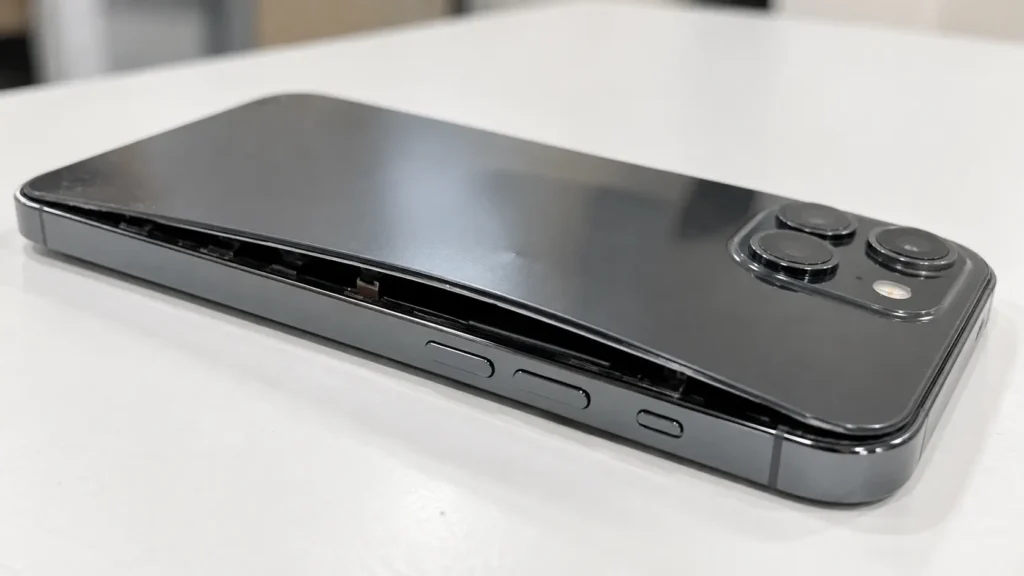
The short answer: battery swelling happens when a lithium-ion battery breaks down inside and releases gas, which makes it puff up. Stop using the phone, stop charging it, and have a technician remove the battery. Don’t press on it, puncture it, or try to pry it out yourself.
That’s the quick version. The rest of this guide covers why battery swelling happens, how to spot it early, and what a safe repair looks like. If your phone is bulging right now, book an emergency battery check and read the rest while you wait.
What Is Battery Swelling?
Every modern phone runs on a lithium-ion battery. Inside it, a liquid electrolyte moves charge back and forth. When that chemistry breaks down, the battery produces gas, and the sealed pouch has nowhere to send it. The pouch inflates, and it pushes against the screen and the back cover.
Battery swelling isn’t a cosmetic flaw. Once a battery puffs up, you should treat its built-in safety protections as unreliable.
What Causes Battery To Swell?
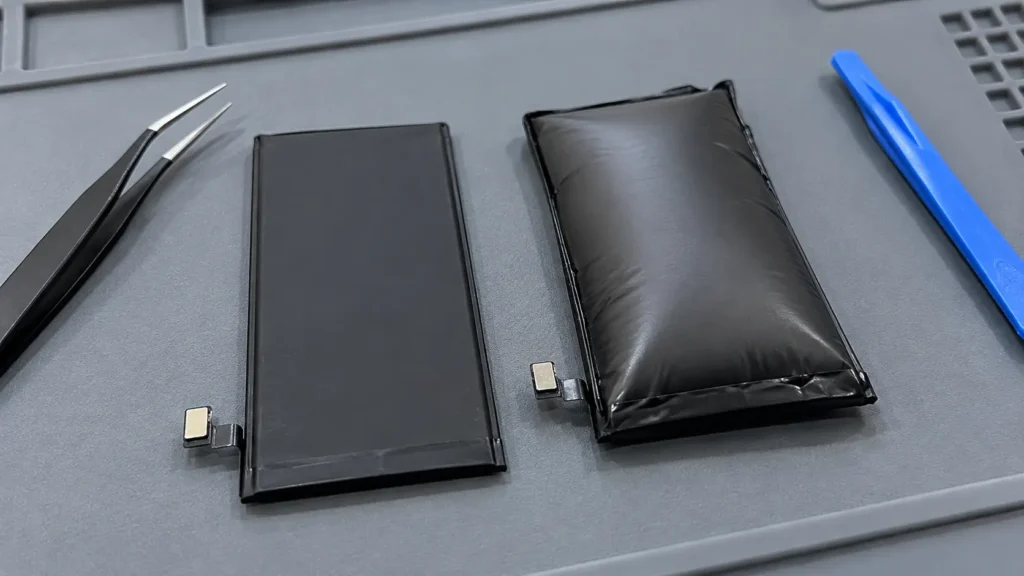
Several things push a lithium-ion battery toward swelling:
- Age and charge cycles. After hundreds of cycles, the internal chemistry degrades and produces gas.
- Heat. Direct sun, a hot car, or charging under a pillow speeds up the breakdown.
- Overcharging or poor chargers. Cheap or damaged chargers can push the wrong power into the battery.
- Physical damage. A drop, a bend, or a hard hit can damage the cells, even when the screen survives.
- Manufacturing defects. Rare, but they do happen.
- Water damage. Moisture inside the phone can corrode the battery connections and the cells.
Most swollen batteries we see come from age plus heat. A phone that spent three summers on a car dashboard is a typical case.
Warning Signs of Battery Swelling
Early swelling is easy to miss. Check for these signs:
- The back cover looks raised, or the seams have gaps
- The screen lifts at the edges or looks hazy
- The phone rocks when you set it flat on a table
- The case suddenly fits tighter, or it pops off
- The trackpad on a laptop clicks stiffly or the lid won’t close flat
- The battery drains fast, or the phone shuts off with charge left
- The phone runs hot during light use
- You smell a sweet or chemical odor
If you notice even one of these, read the safety section below. For a broader checklist, see our post on the signs your phone needs immediate repair.
The Risks of Battery Swelling
A swollen battery can leak, release toxic fumes, and in the worst cases catch fire. Here’s what actually puts you at risk:
- Fire. Once a battery swells, assume its safety mechanisms no longer protect you. Heat, charging, or pressure can trigger a thermal event.
- Toxic fumes and leaks. The electrolyte is flammable and harmful to breathe or touch.
- Damage to your phone. Pressure cracks screens, bends frames, and strains the logic board.
- Lost data. A phone that dies suddenly takes your photos with it if you haven’t backed up.
Most swollen batteries never ignite. The risk still isn’t worth testing, and the repair costs far less than the damage a failure can cause. According to How-To Geek’s guide to swollen batteries, once a battery reaches this stage you should assume its internal safety systems are offline.
What to Do Right Now If Your Battery Is Swelling
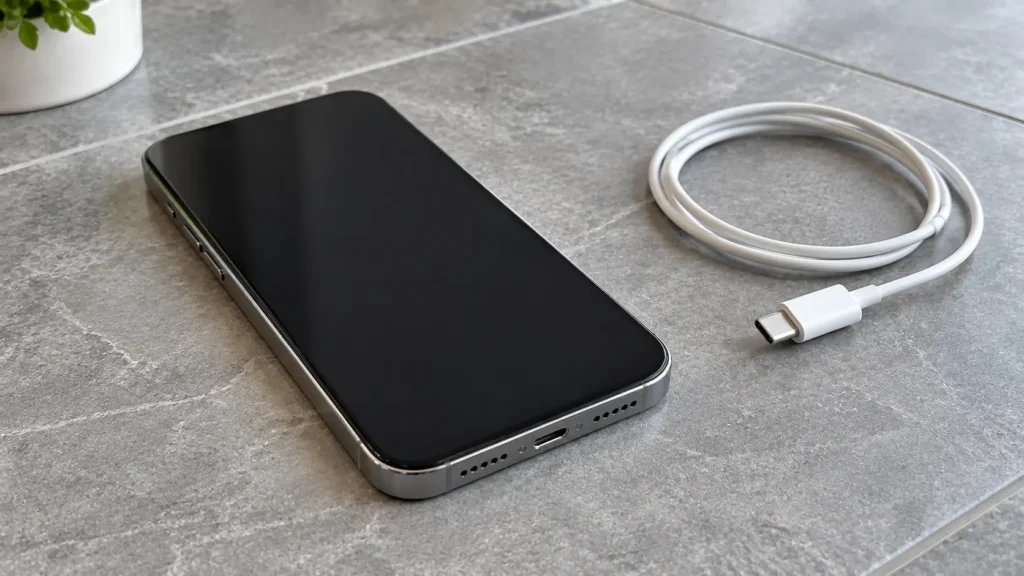
ollow these steps in order:
- Power the phone off and leave it off.
- Unplug the charger and don’t charge it again.
- Set it on a hard, non-flammable surface such as tile or concrete, away from paper, bedding, and anything that burns.
- Keep it away from heat, including sun, cars, and radiators.
- Don’t press, squeeze, or puncture the bulge, and don’t try to flatten it.
- Don’t use the phone to “see if it still works.”
- Call us before you come in so we can tell you how to bring it safely. Contact us here.
If you smell strong fumes, see smoke, or the phone feels very hot, move away from it and call your local emergency number.
Why DIY Removal Makes Battery Swelling Worse
Phone batteries sit under adhesive, ribbon cables, and sometimes the screen itself. Prying at a swollen battery can puncture it, and a punctured lithium-ion cell can ignite. Moisture makes it worse, so wiping it with a damp cloth or washing it is a bad idea.
DIY battery swaps carry real risk even on healthy batteries. On a swollen one, the risk climbs sharply. Our technicians remove swollen batteries with the right tools, the right adhesive-release methods, and safe handling for the old cell. For more on why this work belongs with professionals, read our post on professional phone repair vs. DIY.
What Happens During a Battery Swelling Repair
- ✅ Safe assessment to confirm battery swelling and check the surrounding parts
- ✅ Careful removal by a trained technician, with no prying or puncturing
- ✅ Damage check on the screen, frame, and logic board, since swelling often harms them
- ✅ New battery matched to your exact model
- ✅ Full testing of charging, power, and drain rate
- ✅ Safe disposal of the old battery through proper channels
- ✅ 6-month warranty on the repair, with coverage details based on the repair type
Most battery replacements finish the same day when we have your model’s battery in stock. If swelling already cracked the screen, we handle that in the same visit with our screen repair service.
Book your battery replacement now and we’ll confirm timing before you commit.
How to Prevent Battery Swelling
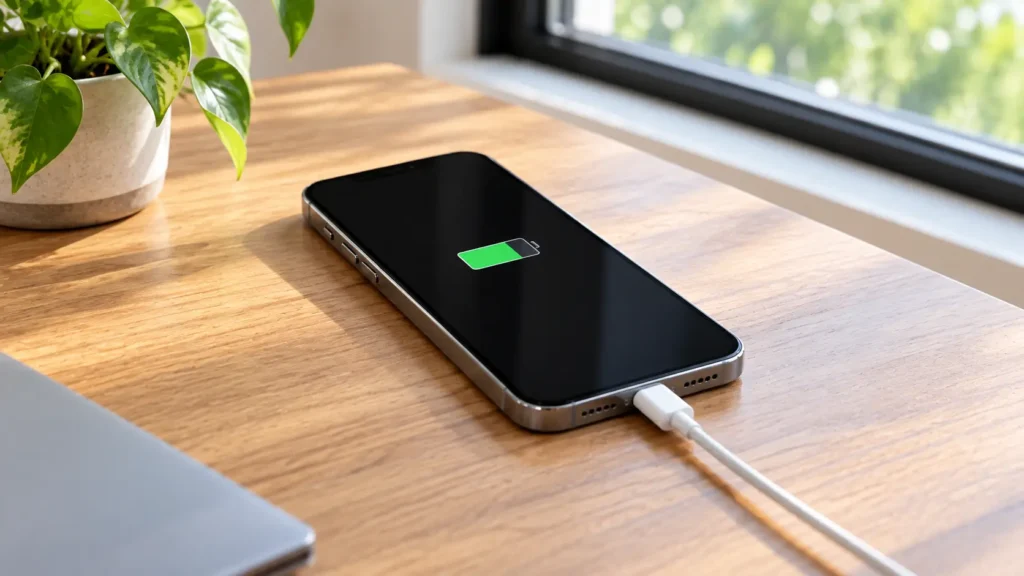
You can’t stop battery aging, but good habits slow it:
- Keep your phone out of hot cars and direct sun
- Use certified chargers and replace frayed cables
- Don’t charge under pillows, blankets, or inside tight cases that trap heat
- Take the case off if the phone runs hot while charging
- Replace the battery when health drops, before it fails
- Avoid dropping or bending the phone, and get dents checked
Our guide to daily phone maintenance tips covers the full routine. You can also read our post on the signs your iPhone battery needs replacement and our guide on a Samsung battery draining fast to catch problems early.
When to Stop Everything and Bring It In
Don’t wait on any of these:
- The back cover or screen visibly lifts
- The phone rocks on a flat surface
- You smell a sweet, chemical, or burning odor
- The phone overheats with light use or while charging
- The case no longer fits
- The battery already swelled once and the phone “seems fine” now
A swollen battery doesn’t heal. It only gets worse, and the repair gets pricier as the damage spreads to the screen and the board.
Local Battery Repair in Raleigh and Mebane
We repair swollen batteries at both of our locations. Raleigh customers can visit Quick Phone Repair on Leland Drive or Rock Quarry Road, and Mebane customers can visit Phone Expert on Mebane Oaks Road. Not sure which location is closest? Check our locations and call ahead, so we can prepare your battery before you arrive.
Frequently Asked Questions About Battery Swelling
Yes. A swollen lithium-ion battery can leak, release harmful fumes, or catch fire. Stop using the phone and get it checked right away.
No. Even slight swelling means the cell has failed internally. Power it off, stop charging it, and bring it in.
No. The gas inside can’t return to the cell, so the battery needs replacement.
It varies. Age, heat, charging habits, and damage all play a part. Many batteries swell slowly over months before anyone
Yes. Laptop batteries swell for the same reasons. Read our guide on the signs your laptop needs professional repair to spot the warning signs.
Don’t Wait on Battery Swelling
Battery swelling only moves in one direction. Today it’s a simple battery swap. Next month it can be a cracked screen, a damaged board, or a safety emergency.
📍 Visit us in-store or book your battery check online now. Most battery replacements finish same day. 📞 Phone bulging or smelling odd? Contact us before you come in, and we’ll walk you through the safest way to bring it.