

Your phone works harder than almost any device you own, all day, every day, for years. Most damage and performance loss doesn’t happen from one dramatic drop. It builds up slowly from habits you don’t think twice about. This guide covers the daily phone maintenance tips that actually make a difference, from battery care to storage cleanup to screen protection.
1. Charge Smarter, Not Just Longer
Letting your battery swing between 0% and 100% every day speeds up long-term wear. Lithium-ion batteries, the kind in nearly every phone, last longest when kept roughly between 20% and 80% charge.
Daily habit: Unplug once you hit 80–90% when you can, and avoid routinely draining to 0% before charging.
Avoid leaving your phone on the charger overnight every single night if you can help it, modern phones manage this reasonably well, but consistent full-charge cycles still add up over time.
2. Wipe Your Screen and Ports Daily
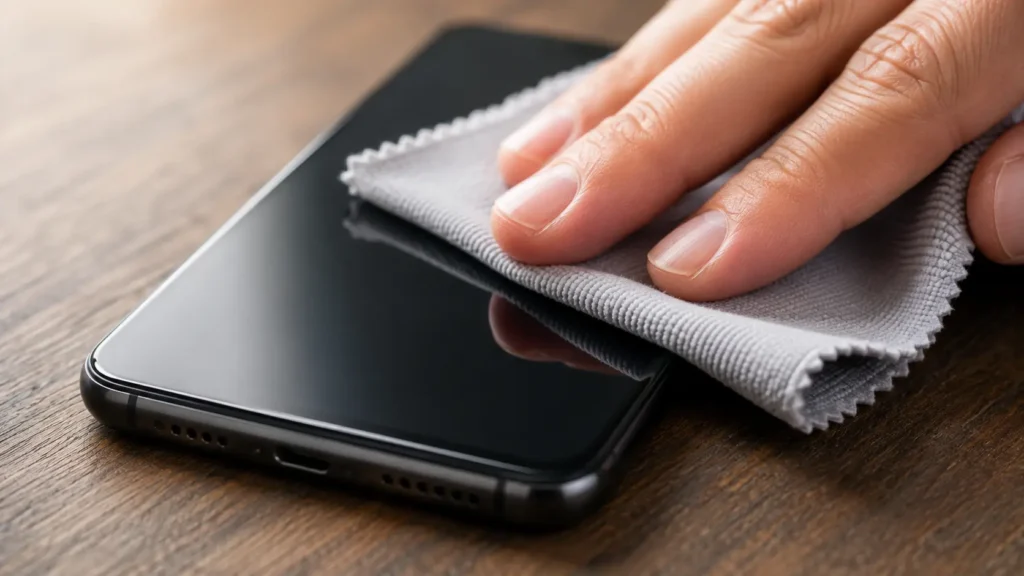
Your phone screen picks up oil, dust, and bacteria constantly throughout the day. A dirty screen isn’t just unsanitary, grime buildup in the charging port is one of the most common (and preventable) causes of charging issues we see.
Daily habit: Wipe your screen with a dry microfiber cloth, and check your charging port for lint or debris weekly. Never use a metal object to clean the port, a soft-bristled brush or a can of compressed air is much safer.
3. Keep Your Software Updated
Skipping software updates doesn’t just leave you missing new features, it leaves security gaps unpatched and can cause the exact performance issues people blame on “an old phone.” Most updates include stability and battery optimization fixes too.
Daily habit: Let updates install overnight instead of postponing them repeatedly. Check monthly that you’re not several versions behind.
4. Clear Out Storage Regularly
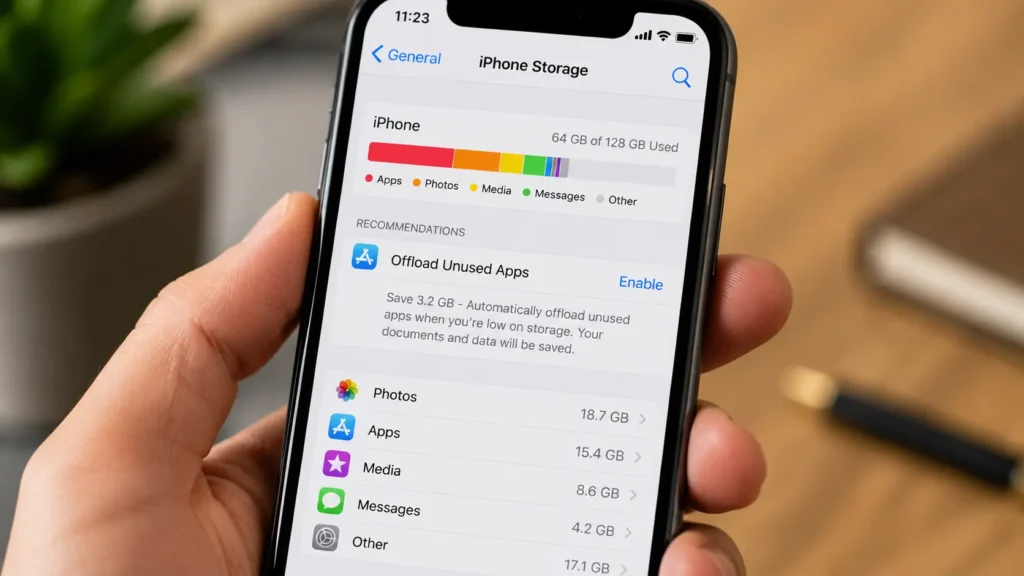
A phone running near-full storage slows down noticeably, the operating system needs breathing room to manage background processes and cache. This is one of the most overlooked signs your device needs professional repair versus simply needing a cleanup.
Daily habit: Delete duplicate photos and unused apps weekly. Back up photos/videos to the cloud so you can clear local storage without losing memories.
5. Use a Case and Screen Protector, Always
This one seems obvious, but it’s the single biggest preventable cause of the repairs we see every week. A drop from waist height onto concrete can crack a screen instantly, even on phones marketed as “durable.”
Daily habit: Keep the case on, even at home. Replace a cracked screen protector immediately, a compromised protector concentrates impact instead of absorbing it.
If damage has already happened, our screen repair service restores your display without needing a full phone replacement.
6. Avoid Extreme Temperatures

Leaving your phone in a hot car, direct sunlight, or freezing conditions stresses the battery and internal components. Heat is especially damaging, it accelerates battery degradation faster than almost anything else you do to your phone.
Daily habit: Never leave your phone in a parked car, even for “just a few minutes” in summer heat.
7. Restart Your Phone Weekly
Constantly running apps in the background, memory leaks, and accumulated cache all build up between restarts. A simple weekly restart clears temporary files and gives your phone’s memory a clean slate.
Daily habit: Pick one day a week, Sunday night works well and power your phone fully off and back on.
8. Back Up Your Data Consistently
No maintenance routine prevents every problem. Drops happen, batteries fail, and sometimes phones just stop working. A consistent backup habit means a hardware issue costs you a repair, not your photos, contacts, and messages.
Daily habit: Confirm cloud backup is active and actually running, don’t just assume it’s working. Check the “last backup” timestamp monthly.
When Maintenance Isn’t Enough
Good habits slow down wear, but they don’t prevent everything. Cracked screens, swelling batteries, water damage, and charging port failures need a professional repair not another cleaning routine. According to Consumer Reports’ smartphone care guide, even well-maintained phones eventually need professional service for hardware issues that go beyond normal upkeep.
If something’s already wrong, don’t wait for it to get worse. Book a repair online, browse our full range of repair services, or visit us in-store for a free diagnostic.
Frequently Asked Questions
Is it bad to charge my phone overnight every night? Occasionally, no modern phones stop charging once full. But doing it every single night for years does add extra wear compared to unplugging around 80–90%.
How often should I clean my charging port? Check it weekly, especially if you carry your phone in a pocket or bag with lint, sand, or dust.
Does closing background apps actually help battery life? Not usually modern phones manage background apps efficiently on their own. Restarting weekly does more good than constantly force-closing apps.
When should I stop trying to maintain my phone and get it repaired instead? If you’re seeing overheating, rapid battery drain despite good habits, screen issues, or charging problems, it’s time for a professional diagnostic rather than another maintenance fix.
Small Habits, Longer Phone Life
None of these daily phone maintenance tips take more than a minute or two, but together they meaningfully extend how long your phone performs well and how much you’ll spend on repairs or replacements over its lifetime.
📍 Visit us in-store for a free device checkup, or book a repair online if something’s already showing signs of trouble. 📞 Questions about your specific device? Contact us we’re happy to help, no repair required.